

Elementor is a powerful and user-friendly WordPress page builder plugin. It offers a wide range of features for creating custom websites.
Elementor has revolutionized the way we design websites on WordPress. With its drag-and-drop interface, users can easily customize their site’s layout, add widgets, and even create responsive designs without needing to know how to code. This plugin caters to both beginners and advanced users, providing a seamless experience for crafting professional-looking websites.
Its extensive library of pre-designed templates and blocks allows for quick design implementation, making website creation faster and more efficient. Elementor’s real-time editing feature ensures that you can see your changes as you make them, offering an intuitive design process that enhances creativity and productivity. Whether you’re building a simple blog or a complex e-commerce site, Elementor equips you with the tools to bring your vision to life.
Rise Of Page Builders
Page builders have changed website design. They offer visual editing in real-time. This makes web design accessible to everyone. Users see changes instantly, speeding up the design process. The demand for page builders has soared, with Elementor leading the pack.
Elementor’s Place In The Market
Elementor stands out in the market. It boasts over 5 million active installs. Its extensive widget selection is unmatched. Users love the global styling options. Elementor’s community is strong and growing. It is a top choice for WordPress users worldwide.
Getting Started With Elementor
Welcome to our detailed guide on Getting Started with Elementor. This powerful WordPress page builder makes designing websites easy and fun. Whether you are a beginner or a pro, Elementor offers something for everyone. Let’s dive into the basics to kickstart your website building journey.
Installation And Setup
First things first, you need to install and set up Elementor. Follow these simple steps:
- Log in to your WordPress dashboard.
- Go to Plugins > Add New.
- Search for Elementor.
- Click Install Now and then Activate.
After activation, Elementor guides you through a quick setup. You can choose a default color and font scheme to start with. Customizing these settings later is easy.
Navigating The Interface
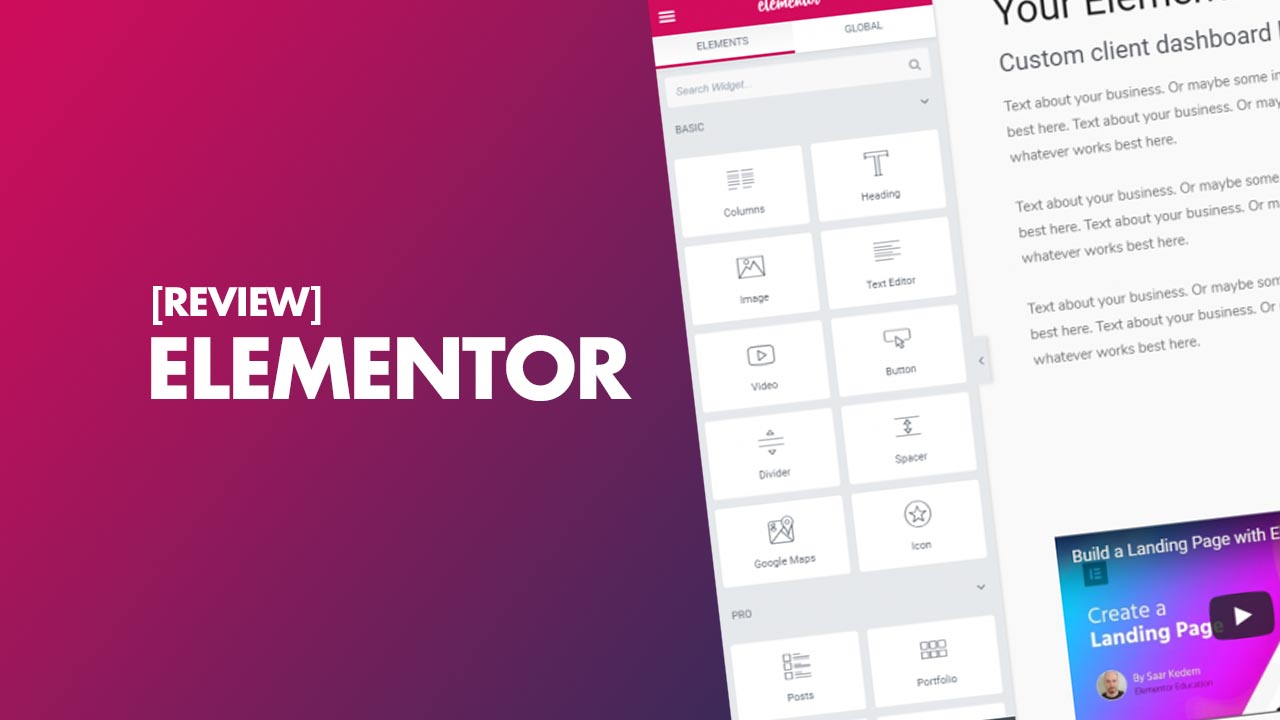
Elementor has a user-friendly interface. Here’s a quick guide to help you navigate:
- Panel: Located on the left, it contains all widgets and settings.
- Preview Button: View your page in real-time.
- Update Button: Save your progress.
To add content, simply drag widgets from the panel to the page. Elementor offers a wide range of widgets. These include text, images, buttons, and more. You can also adjust section and column layouts. This makes designing your page layout a breeze.
Design Capabilities
Elementor shines in giving users the power to design stunning websites. Its design capabilities stand out for both beginners and pros. Let’s dive into what makes Elementor a top choice for crafting your online presence.
Customizing Pages With Widgets
Elementor offers an array of widgets to build pages with ease. Users enjoy drag-and-drop functionality to add elements like text, images, and buttons. With Elementor, creating unique pages becomes a breeze.
- Text Editor: Add and style text.
- Image Box: Combine images and text.
- Button: Insert clickable buttons.
- Spacer: Create space between widgets.
- Divider: Add a line to separate elements.
Responsive Design Features
Elementor ensures your site looks great on all devices. With responsive design tools, you can adjust settings for desktops, tablets, and phones. Your site will always look its best, no matter the screen size.
| Feature | Description |
|---|---|
| Mobile Editing | Edit live previews for mobile views. |
| Column Width | Adjust widths for different devices. |
| Font Size | Scale text for readability on any device. |
| Padding & Margin | Set spacing specific to device type. |
| Reverse Columns | Stack columns correctly on mobile. |
Credit: www.shoutmeloud.com
Advanced Features And Extensions
Elementor’s advanced features and extensions take web design to the next level. Users gain access to a suite of tools that extend functionality. These tools are perfect for crafting a unique web presence.
Theme Builder
Elementor’s Theme Builder lets users design every part of their site. This includes headers, footers, and post types. Users can create a cohesive look without any coding.
- Dynamic Content: Insert content that updates automatically.
- Display Conditions: Decide where templates appear on the site.
Pop-up Builder
The Pop-up Builder empowers users to create engaging pop-ups. This feature is vital for lead capture and user engagement.
- Drag-and-drop editor: Create pop-ups with ease.
- Advanced triggers: Show pop-ups at the right time.
Third-party Add-ons
Extend functionality with third-party add-ons for Elementor. These add-ons bring new widgets and features to the table.
| Add-on Name | Description |
|---|---|
| Essential Addons | Boosts Elementor with additional widgets. |
| Ultimate Addons | Provides unique widgets for creative designs. |
Performance And Seo
Today, we dive deep into Elementor’s Performance and SEO capabilities. A fast, SEO-friendly website is crucial for success. Let’s see how Elementor stands up.
Speed Optimization
Elementor knows speed matters. A slow site loses visitors. Elementor helps your site fly.
- Code Efficiency: Elementor’s clean code means faster loading.
- Lightweight Widgets: Use only what you need, keep your site light.
- Lazy Load Images: Images load as you scroll, speeding up initial load times.
These features keep your site quick. Fast sites rank better and please visitors.
Seo Friendliness
SEO drives traffic. Elementor helps your site get noticed.
- Schema Markup: Elementor supports schema. This helps search engines understand your site.
- Responsive Design: Elementor sites work on any device. Google loves this.
- SEO Plugins Compatibility: Work seamlessly with leading SEO plugins. Enhance your SEO easily.
With Elementor, your site is ready to climb the SEO ladder. More visibility, more success.
Credit: wpexplaind.com
Pros And Cons
Exploring Elementor? Let’s weigh its strengths and weaknesses. We’ll dive into its ease of use and support network. Here’s an honest look at what to expect.
Ease Of Use
Elementor shines in user-friendliness. Its drag-and-drop builder simplifies web design. Users create stunning pages quickly. No need for coding skills. This tool suits beginners and pros alike.
- Intuitive interface: Navigate with ease.
- Visual editing: See changes in real-time.
- Template library: Choose from pre-designed pages.
- Responsive design: Make sites mobile-friendly fast.
Support And Community Resources
Elementor offers extensive support. Users access a vast knowledge base. The community is active and helpful. Premium support is a perk for paid plans. Free users rely on community forums.
| Resource Type | Availability |
|---|---|
| Documentation | Open to all |
| Tutorials | Open to all |
| Community Forums | Open to all |
| Premium Support | Paid plans only |
Pros and cons are clear. Elementor is a top choice for many. It’s easy to use and backed by a strong community. Yet, premium support is not free. Consider these points before deciding.

Credit: ultimateelementor.com
Frequently Asked Questions
What Is Elementor For WordPress?
Elementor is a drag-and-drop page builder plugin for WordPress, allowing users to create custom layouts and designs without needing to write code.
How Does Elementor Improve Website Design?
Elementor provides a live editing experience with a wide range of widgets and templates, enabling users to design responsive and professional-looking websites with ease.
Can Elementor Work With Any Theme?
Yes, Elementor is compatible with most WordPress themes, offering flexibility and control over your website’s appearance regardless of the theme.
What Are Elementor Pro’s Key Features?
Elementor Pro includes advanced capabilities like theme builder, pop-up builder, and dynamic content, enhancing the functionality of the free version.
Is Elementor Suitable For Beginners?
Elementor’s intuitive interface and visual design approach make it highly suitable for beginners looking to create custom websites without coding knowledge.
Conclusion
Wrapping up our Elementor review, it’s clear this builder stands tall for WordPress users. Its ease of use, versatile features, and robust design options make it a top pick. Whether you’re a beginner or a pro, Elementor can elevate your website’s aesthetics and functionality, proving itself as a valuable tool in the web design arsenal.

