To create digital assets, identify your target audience and choose the right format. Then, design and develop high-quality content.
In today’s digital era, creating digital assets is essential for any successful online presence. These assets include images, videos, infographics, eBooks, and more. Start by identifying your target audience to ensure your content meets their needs. Choose the appropriate format that best conveys your message.
High-quality design and development are crucial to capture attention and engage users. Consistency in branding and messaging helps build trust and recognition. Finally, optimize your digital assets for SEO to improve visibility and reach. By following these steps, you can create valuable digital assets that drive engagement and support your marketing goals.
Credit: imagekit.io
Introduction To Digital Assets
Digital assets are essential for online activities today. They include various forms of digital media and content. Learning to create them can boost your online presence.
What Are Digital Assets?
Digital assets are files stored digitally. Examples include images, videos, and documents. They also include websites, social media profiles, and software.
- Images: JPEG, PNG, GIF
- Videos: MP4, AVI, MOV
- Documents: PDF, DOCX, PPT
- Websites: HTML, CSS, JavaScript
- Software: Mobile apps, desktop applications
These assets are valuable in today’s digital world. They help businesses and individuals communicate and share information.
Importance For Beginners
Creating digital assets is crucial for beginners. It helps establish an online presence. Beginners can use these assets to share ideas and promote products.
- Build a personal brand
- Reach a wider audience
- Enhance digital skills
- Generate income
- Improve online visibility
Building digital assets can be fun and rewarding. It opens up many opportunities for growth and success.
Credit: cloudinary.com
Types Of Digital Assets
Creating digital assets is essential for any online presence. Different types of digital assets serve various purposes. Here, we explore the primary types of digital assets.
Images And Graphics
Images and graphics are visual elements that enhance content. They can include:
- Photographs: High-quality photos capture attention.
- Illustrations: Custom drawings and designs add uniqueness.
- Infographics: Visual data representation makes information easy to understand.
Use images to break text and engage readers. Ensure images are optimized for web use. This improves page load speed and SEO.
Videos And Animations
Videos and animations create dynamic content. They can include:
- Explainer Videos: Short videos explain products or services.
- Tutorials: Step-by-step guides help users learn.
- Animations: Animated graphics capture attention and explain concepts.
Embed videos on your website to increase user engagement. Make sure videos are mobile-friendly. This ensures a broader reach.
Documents And Ebooks
Documents and eBooks offer in-depth information. They can include:
- PDF Guides: Detailed guides provide valuable insights.
- Whitepapers: Authoritative reports present research findings.
- eBooks: Comprehensive books cover extensive topics.
Offer documents and eBooks as downloadable resources. This encourages users to stay on your site longer. It also positions you as an expert in your field.
Tools For Creating Digital Assets
Creating digital assets requires the right tools. These tools help in producing high-quality assets efficiently. Choosing the right software can make a significant difference in your workflow. Below are some essential tools for creating digital assets.
Graphic Design Software
Graphic design software is crucial for creating visual content. Here are some popular tools:
- Adobe Photoshop: Ideal for image editing and graphic creation.
- Adobe Illustrator: Best for vector graphics and illustrations.
- Canva: User-friendly with pre-made templates for quick designs.
Video Editing Tools
Video content is increasingly popular. Quality video editing tools can enhance your videos:
- Adobe Premiere Pro: Professional video editing software with advanced features.
- Final Cut Pro: Favored by Mac users for its powerful capabilities.
- iMovie: Great for beginners and simple video editing tasks.
Document Creation Platforms
Creating documents is essential for many digital assets. Here are some top platforms:
| Platform | Best For |
|---|---|
| Microsoft Word | Text documents with advanced formatting options. |
| Google Docs | Collaborative document creation with cloud storage. |
| Adobe Acrobat | Creating and editing PDFs with ease. |
Step-by-step Creation Process
Creating digital assets can be a rewarding journey. Follow these steps to ensure your assets are effective and professional. This guide will cover planning, design, development, finalizing, and exporting.
Planning Your Asset
Start by identifying the purpose of your digital asset. Ask yourself:
- What is the goal of this asset?
- Who is the target audience?
- What message should it convey?
Once you have answers, outline the key elements. Create a simple sketch or wireframe. This helps visualize the final product. Plan the content structure and layout. Organize your ideas clearly.
Design And Development
Move to the design phase. Choose a color scheme that matches your brand. Select fonts that are easy to read. Use high-quality images and graphics. Tools like Adobe Photoshop or Canva can be very helpful.
Next, develop your asset. Use software or online tools to create it. Keep the design consistent and professional. Ensure all elements align properly. Pay attention to details and refine your design.
Finalizing And Exporting
Review your digital asset carefully. Check for any errors or inconsistencies. Get feedback from others if possible. Make necessary adjustments.
Once satisfied, export your asset. Choose the right format based on your needs. Common formats include:
| Format | Use Case |
|---|---|
| JPEG | Images and photos |
| PNG | Graphics with transparency |
| Documents and print-ready files |
Save your file with a clear and descriptive name. Store it in an organized folder. Your digital asset is now ready for use!
Best Practices For Quality
Creating digital assets requires attention to detail. Quality must be a priority. Follow these best practices to ensure your digital assets stand out.
Consistency And Branding
Maintaining consistency in your digital assets is crucial. Keep your brand identity in mind. Use the same fonts, colors, and styles. This helps in creating a unified look. Consistent branding builds trust with your audience.
Here’s a quick guide to ensure brand consistency:
- Always use your brand’s color palette.
- Stick to your chosen fonts and sizes.
- Keep logo placement uniform across all assets.
- Follow a specific style guide.
Optimizing For Different Platforms
Different platforms have different requirements. Optimize your assets for each platform. This ensures they look great everywhere. Resize images and adjust formats as needed.
Here’s a table to help with image dimensions:
| Platform | Recommended Image Size |
|---|---|
| 1200 x 630 pixels | |
| 1080 x 1080 pixels | |
| 1024 x 512 pixels | |
| 1200 x 627 pixels |
Here are some tips for optimizing:
- Use high-resolution images.
- Compress files without losing quality.
- Ensure text is legible on all screens.
- Test assets on multiple devices.
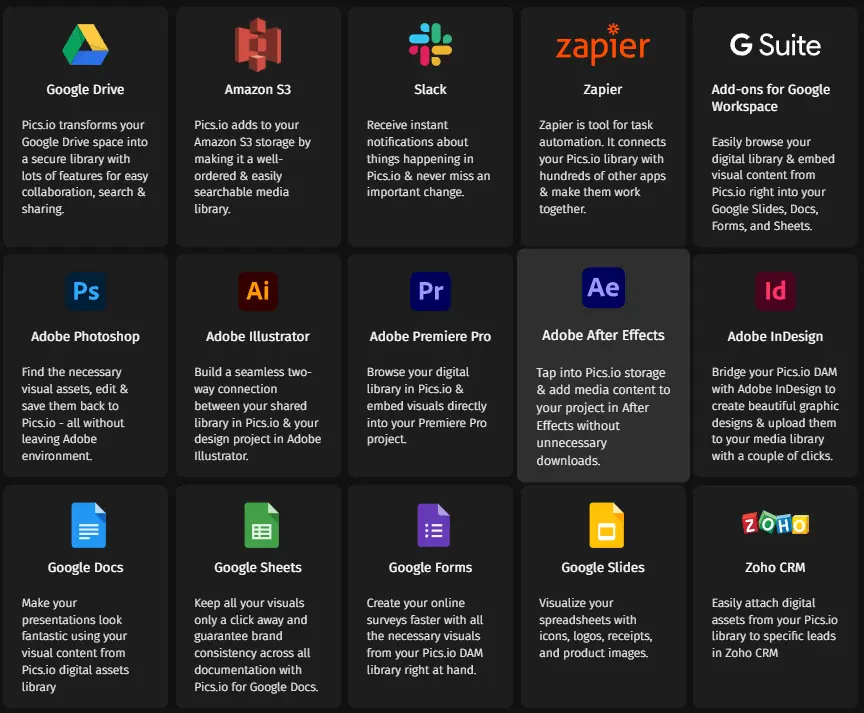
Storing And Managing Digital Assets
Storing and managing digital assets is crucial for any digital creator. Proper storage and management ensure easy access and security of your valuable assets. Let’s explore the best ways to store and manage your digital assets effectively.
Cloud Storage Options
Cloud storage offers a convenient way to store your digital assets. It provides access from any device with internet connectivity.
- Google Drive: Offers 15GB of free storage and easy sharing options.
- Dropbox: Known for its user-friendly interface and reliable syncing.
- OneDrive: Integrates seamlessly with Microsoft Office applications.
- iCloud: Ideal for Apple users with 5GB of free storage.
These cloud storage options provide robust security features to protect your digital assets. They also offer scalable storage solutions to meet growing needs.
Organizing Your Assets
Organizing your digital assets ensures you can find and use them easily. A well-organized system saves time and enhances productivity.
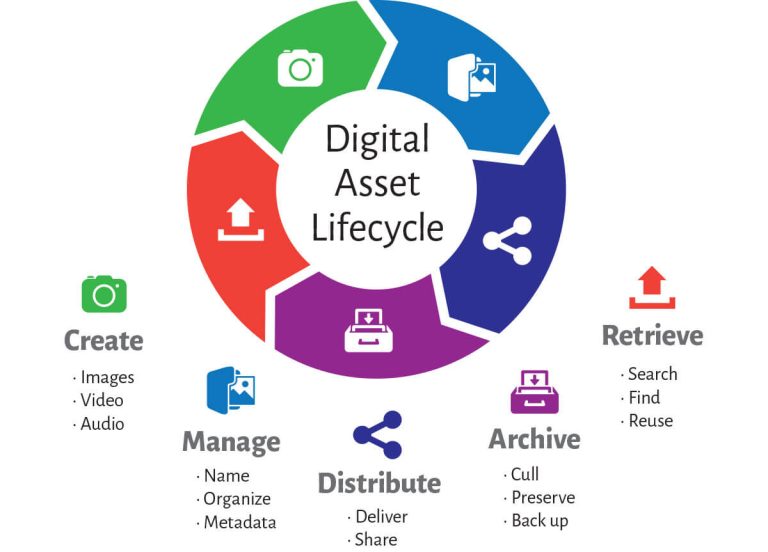
- Use Folders: Create folders for different types of assets, such as images, videos, and documents.
- File Naming Conventions: Use descriptive names and dates to make files easily identifiable.
- Metadata: Add tags and metadata to your files for quick search and retrieval.
- Regular Backups: Schedule regular backups to prevent data loss.
By following these tips, you can ensure your digital assets are well-organized and easily accessible. This will help you maintain a streamlined workflow and keep your projects on track.
Credit: blog.pics.io
Frequently Asked Questions
What Are Digital Assets?
Digital assets are electronic files like images, videos, and documents stored digitally.
How To Create Digital Assets?
Use software tools like Adobe Photoshop or Canva to design images, videos, and other digital files.
Why Are Digital Assets Important?
They enhance online presence, improve engagement, and support marketing efforts by providing visually appealing content.
Can Digital Assets Be Monetized?
Yes, digital assets can be sold or licensed for use, generating revenue for creators.
Conclusion
Creating digital assets is essential for modern business success. Follow the steps outlined to boost your online presence. Invest in quality design and valuable content. Regularly update and refine your assets to stay relevant. With these strategies, you’ll effectively build and maintain a strong digital footprint.